
















What Kind of School Game Is This, Really?
Most school-themed browser games put you in a student's shoes—sneaking notes, skipping class, maybe pulling pranks. High School Teacher Games Life flips that completely. You're the one in charge, which means less hiding in the bathroom and more managing a classroom full of students who might not want to be there.
The game splits into three distinct modes: Career, Mission, and Quiz. They each serve a different purpose, and knowing which one to jump into depends on what you want from a session. Career Mode is the slow burn—it's about the daily rhythm of being a teacher, from morning prep to final bell. Mission Mode drops you into specific challenges with clear goals, so it's better for shorter, focused play. Quiz Mode is exactly what it sounds like: you create quizzes and run them with your class, tracking how well students perform.
It's not trying to be a deep RPG or a complex sim. It's a casual game with a specific theme, and it knows its lane.
Getting Around: Movement and Controls
The controls are standard for a browser-based 3D game. WASD moves you, Left Shift lets you sprint, and F is your interact button for picking things up, talking to students, or opening doors. You'll use I to check instructions if you ever get lost, and Ctrl or P/Tab to pause or open settings.
Here's the thing—sprinting is useful, but don't just hold it down all the time. The game's hallways can feel a bit cramped, and if you rush into a classroom, you might miss a student who needed help or a task prompt near the door. Slow down when you enter a room, scan for interact prompts, then move. It's one of those small habits that makes each day in Career Mode run smoother.
Career Mode: The Main Event
This is where you'll spend most of your time. Career Mode simulates a full school day, starting with arriving on campus and ending with the final bell. Between those points, you're expected to teach lessons, manage student behavior, grade papers, and occasionally deal with random events—like a student forgetting their homework or a spill in the cafeteria.
A common mistake new players make is ignoring the clock. Each action takes in-game time, and if you spend too long wandering or chatting, you'll run out of time before finishing your grading. Prioritize: get the lesson done early, handle behavior issues quickly, and leave paperwork for the quieter moments. The game doesn't punish you harshly for missing a few tasks, but it does track your performance. Consistently finishing your duties unlocks better outcomes and keeps the day from feeling like a scramble.
Mission Mode: When You Want a Challenge
Mission Mode is more structured. Each mission gives you a specific objective—like getting a certain number of students to pass a pop quiz, or keeping the class quiet during a surprise observation. The goals rotate, which helps keep things fresh. Some missions are straightforward; others require a bit of planning.
If a mission feels too tough, check your route. Time management matters even more here because missions have tighter deadlines. Don't try to do everything at once. Focus on the objective, ignore side activities, and use sprint only when you know where you're going. It's also worth replaying a mission if you fail. The game doesn't throw unfair curveballs, but you might need one try to learn the layout or the timing.
Quiz Mode: Actually Teaching Something
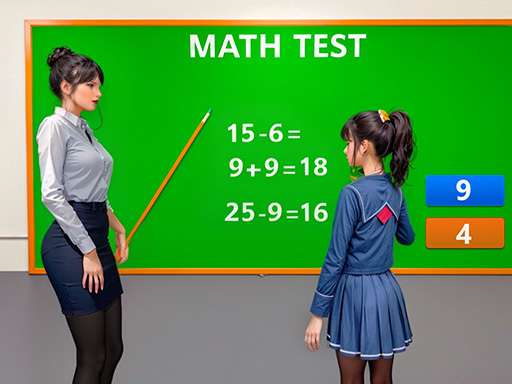
Quiz Mode is the most hands-on teaching part of the game. You create a quiz—multiple choice, true/false, short answer—and then administer it to your virtual students. They'll answer based on how well you've taught them during the session, and you can see their scores afterward.
It's simple, but it does something interesting: it makes you think about pacing and clarity. If you rush through the lesson before the quiz, students do worse. If you explain things clearly and give them time to absorb, scores go up. It's not deep pedagogy, but it's a nice touch for a browser game. For anyone who's ever actually taught, it might even feel familiar.
What Kind of Player Will Actually Enjoy This?
Let's be honest: this game isn't for everyone. If you want action, complex storylines, or deep character customization, this isn't it. But if you're in the mood for something low-stakes, slightly repetitive in a cozy way, and centered on a theme most games ignore, it works. It's good for short sessions—maybe during a lunch break or while you're winding down. The repetition can become noticeable after several Career Mode days, but that's when switching to Mission or Quiz mode helps.
The game also has a quiet charm that grows on you. There's something genuinely relaxing about walking through a pixelated school hallway, checking in on students, and feeling like you're running your own classroom. It's not a power fantasy. It's more like a responsibility simulator with a grading curve. And that's fine.
Practical Tips for New Teachers
- Use the pause button. If you're in a mission and feel lost, hit Tab. Check the instructions. Wanderlust gets you nowhere here.
- Don't skip the tutorial. It's short, but it explains how interact prompts work. Missing that can cost you time in Career Mode.
- Rebind controls if you need to. The game doesn't force you into a specific layout. If Tab feels awkward for pause, use Ctrl instead.
- Mix up the modes. Playing only Career Mode gets repetitive. A few rounds of Mission Mode break things up, and Quiz Mode is a good change of pace when you want something more cerebral.
- Pay attention to student names and faces. The game tracks individual performance, and knowing which students are struggling helps you focus your interactions. It's a small detail that makes a difference in your overall rating.
High School Teacher Games Life isn't trying to reinvent browser gaming. It's a focused, niche sim that knows exactly what it wants to be. If that sounds like your kind of classroom, you'll find plenty to do here.